
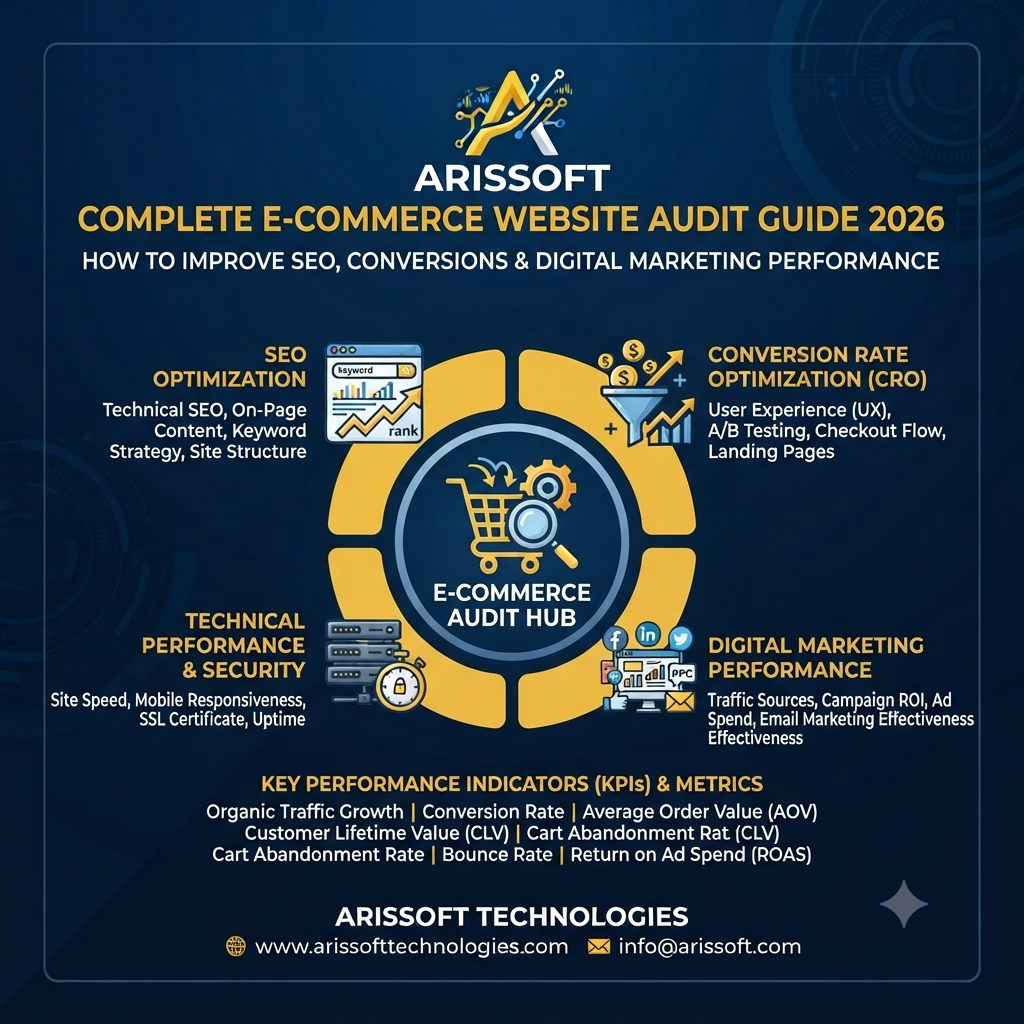
Complete E-commerce Website Audit Guide 2026: How to Improve SEO, Conversions & Digital Marketing Performance
An e-commerce website is more than an online store. It is a complete digital sales channel where SEO, website performance, user experience, product pages, content, tracking, and conversion optimization work together.
Even if your website has hundreds or thousands of products, technical problems, poor product pages, slow loading speed, weak internal linking, or a complicated checkout process can reduce traffic and sales.
That is why a regular e-commerce website audit is important.
A proper audit helps you understand what is working, what is hurting your rankings, and where you can improve the customer journey.
This complete guide explains how to audit an e-commerce website in 2026 and improve SEO, conversions, and digital marketing performance.
An e-commerce website audit is a detailed review of an online store to identify problems and opportunities related to:
The goal is not simply to find errors.
The real objective is to increase qualified traffic, improve user experience, generate more leads or purchases, and increase return on marketing investment.
Competition in online shopping continues to increase. Customers have many options and can quickly move to another website if they cannot find what they need.
Search engines also consider many technical and user-experience signals when evaluating websites.
A website audit can help you:
1. Find SEO Problems
You may have:
Fixing these issues can improve your website's search visibility.
2. Improve Website Performance
Slow pages can create a poor user experience.
An audit helps identify:
3. Increase Conversions
Getting visitors is only part of digital marketing.
Your website must also convince visitors to:
4. Improve Marketing ROI
If you are spending money on Google Ads, Meta Ads, influencer marketing, or other campaigns, your website needs to convert that traffic effectively.
A better website can help you get more value from your existing marketing budget.
A comprehensive audit should cover several major areas.
|
Audit Area |
Main Objective |
|
Technical SEO |
Improve crawling and indexing |
|
On-Page SEO |
Improve search relevance |
|
Product Pages |
Increase product visibility and sales |
|
Category Pages |
Target commercial keywords |
|
Website Speed |
Improve user experience |
|
Mobile SEO |
Improve mobile usability |
|
UX |
Make navigation easier |
|
Conversion Optimization |
Increase purchases |
|
Content |
Build relevance and trust |
|
Internal Linking |
Improve navigation and authority |
|
Structured Data |
Improve search understanding |
|
Analytics |
Measure performance |
|
Paid Marketing |
Improve campaign efficiency |
Let's look at each area in detail.
1. Start With a Technical SEO Audit
Technical SEO is the foundation of your e-commerce website.
If search engines cannot properly crawl or index your pages, even excellent content may struggle to generate organic traffic.
Check Website Indexing
First, determine whether important pages are indexed.
Check:
Make sure important commercial pages are not accidentally blocked.
You should also review your website's XML sitemap and robots.txt file.
Check Robots.txt
Your robots.txt file tells search-engine crawlers which areas they should or should not access.
Incorrect rules can accidentally block important pages.
Review whether:
Do not blindly block large sections of an e-commerce website.
2. Audit Your Website Structure
A clear website structure helps both customers and search engines.
A typical e-commerce structure could look like:
Homepage → Category → Subcategory → Product
For example:
Home → Men's Shoes → Running Shoes → Product
Keep important pages easy to reach.
Ideally, users should not need to click through many unnecessary levels to reach important products.
3. Review E-commerce URLs
Good URLs should be:
For example:
example.com/mens-running-shoes/
is generally easier to understand than:
example.com/category?id=2487&product=9837
Avoid unnecessary parameters and complicated URL structures wherever possible.
If URLs need to change, use appropriate redirects and update internal links.
4. Find Broken Links and 404 Pages
Broken links can create a poor user experience and waste crawl resources.
Check for:
Create a process for regularly identifying and fixing broken links.
5. Check Canonical Tags
E-commerce websites often have duplicate or near-duplicate URLs.
For example, the same product might be accessible through:
Canonical tags can help indicate the preferred version of a page.
However, canonical implementation should be reviewed carefully rather than added automatically to every page.
6. Audit Product Pages
Product pages are among the most important pages on an e-commerce website.
A strong product page should provide enough information for both search engines and customers.
Check whether each important product page has:
Avoid copying the same product description across multiple products.
7. Optimize Product Titles
Product titles should clearly explain what the product is.
A good product title may include:
Brand + Product Name + Key Attribute + Model/Variant
For example:
Nike Men's Running Shoes – Lightweight Sports Shoes
Avoid stuffing titles with repeated keywords.
The title should be written for customers first.
8. Improve Product Descriptions
A weak description might contain only one or two sentences.
A better description answers the questions customers actually have.
Include:
Use natural language instead of repeating the same keyword.
9. Optimize Category Pages
Category pages can be powerful SEO landing pages.
For example:
A category page should help visitors understand the product group and choose the right product.
Consider adding:
Do not fill category pages with large blocks of unnecessary SEO text.
10. Improve Internal Linking
Internal links connect different pages of your website.
They can help users discover products and help search engines understand the relationship between pages.
You can link:
Blog → Category
Category → Product
Product → Related Product
Product → Buying Guide
For example, a blog about "How to Choose Running Shoes" can link to your running-shoe category.
11. Audit Website Speed
Website speed is important for both user experience and conversions.
Check:
Large product images are often a major performance problem on e-commerce websites.
12. Optimize Product Images
High-quality images are important for e-commerce, but they should not unnecessarily slow down the website.
Use:
For example:
black-leather-office-chair.jpg
is more descriptive than:
IMG_2398.jpg
13. Check Mobile Experience
A large amount of e-commerce activity takes place on mobile devices.
Test:
Make sure important buttons are easy to tap.
Avoid intrusive pop-ups that make the page difficult to use.
14. Audit the Search Function
Internal website search is especially important for large e-commerce websites.
Test searches for:
Check whether the search engine provides useful results.
If users frequently search for a product that exists on your website but cannot find it, you may be losing sales.
15. Review Navigation and Filters
Good navigation helps customers find products quickly.
Review:
Useful filters can include:
However, filters can also generate thousands of URLs.
Therefore, your SEO strategy should carefully control which filtered URLs should be crawled and indexed.
16. Audit Breadcrumbs
Breadcrumbs show users where they are within your website structure.
For example:
Home → Electronics → Laptops → Gaming Laptops
They can improve navigation and help search engines understand page relationships.
Implement breadcrumb structured data where appropriate.
17. Review Structured Data
Structured data helps search engines better understand your pages.
For e-commerce websites, relevant structured data can include:
Make sure structured data accurately represents visible information on the page.
Never add fake reviews, ratings, prices, or other information simply to obtain search enhancements.
18. Improve SEO Metadata
Audit the:
Each important page should have a clear purpose.
Avoid creating hundreds of automatically generated titles that contain repetitive keywords.
19. Check Duplicate Content
Duplicate content is a common challenge for e-commerce websites.
It can occur because of:
Identify important pages and ensure they have unique value.
Where appropriate, use canonicalization, redirects, or other technical controls.
20. Build Helpful E-commerce Content
Content marketing can support e-commerce SEO beyond product pages.
Create useful content such as:
For example, a shoe store could publish:
How to Choose the Best Running Shoes for Beginners
Then link readers to relevant product categories.
21. Focus on Search Intent
Not every keyword represents the same customer intent.
Consider:
Informational Intent
"How to clean leather shoes"
Commercial Investigation
"Best leather office shoes"
Transactional Intent
"Buy leather office shoes online"
Your content should match the intent behind the search.
This can improve both organic performance and conversions.
22. Audit Customer Reviews
Reviews can strongly influence buying decisions.
Check whether your website makes it easy for customers to:
Reviews can also provide useful language that helps you understand what customers value.
23. Improve Trust Signals
Customers need confidence before purchasing.
Important trust elements can include:
Make important policies easy to find.
24. Audit the Shopping Cart
Your shopping cart should be simple.
Check:
Unexpected charges should not appear at the final stage whenever possible.
25. Analyze the Checkout Process
A complicated checkout process can reduce conversions.
Look for unnecessary steps.
Consider whether customers can:
Test checkout on both desktop and mobile devices.
26. Reduce Cart Abandonment
If many users add products to the cart but do not purchase, investigate the reason.
Possible problems include:
Use analytics data to identify where customers leave.
27. Audit Google Analytics and Conversion Tracking
An e-commerce website needs accurate measurement.
Track important events such as:
Your analytics data should match your actual business transactions as closely as possible.
Incorrect tracking can lead to poor marketing decisions.
28. Check Google Ads and Meta Ads Landing Pages
If you are running paid advertising, audit the landing pages used in campaigns.
For example, if an advertisement promotes:
Men's Running Shoes
the user should ideally land on a relevant product category or product page rather than a generic homepage.
Check:
29. Measure Conversion Rate
Traffic alone does not mean your e-commerce strategy is successful.
A simple conversion-rate calculation is:
Conversion Rate = Number of Purchases ÷ Number of Website Visitors × 100
For example, if 10,000 visitors generate 250 purchases:
250 ÷ 10,000 × 100 = 2.5%
But do not judge performance using one universal benchmark. Conversion rates vary significantly by industry, product price, traffic source, device, geography, and customer intent.
30. Analyze Traffic Sources
Review where your customers come from.
Common channels include:
Compare each channel based on:
This gives you a clearer picture of digital marketing performance.
31. Measure SEO Performance
Track important SEO metrics such as:
Do not focus only on rankings.
The ultimate objective is to attract relevant visitors who contribute to business growth.
32. Identify High-Value SEO Opportunities
During the audit, find pages that:
These pages may offer quick optimization opportunities.
For example, a page ranking around positions 8–15 may have significant potential if its content, internal links, search intent, and on-page SEO are improved.
33. Check Website Security
Security should also be part of an e-commerce audit.
Check:
Never ignore security simply because the website is performing well in search engines.
34. Create an E-commerce SEO Audit Priority List
Not every problem needs to be fixed immediately.
Classify issues based on impact.
High Priority
Medium Priority
Low Priority
Prioritization helps businesses focus resources where they can create the greatest impact.
E-commerce Website Audit Tools for 2026
Different tools can help you evaluate different parts of your website.
Useful categories include:
SEO Tools
Performance Tools
Conversion Analysis
Technical Testing
No single tool can perform a complete e-commerce audit.
The best results come from combining technical data with real user and business data.
E-commerce Website Audit Checklist 2026
Use this quick checklist:
Technical SEO
On-Page SEO
E-commerce UX
Performance
Conversion
Marketing
How Often Should You Conduct an E-commerce Website Audit?
A complete audit does not necessarily need to happen every month.
A practical approach is:
Technical monitoring: Regularly
SEO review: Monthly or quarterly
Conversion analysis: Monthly
Full website audit: Every 6–12 months
You should also conduct an additional audit after:
Final Thoughts
A successful e-commerce website needs more than attractive product pages.
It needs a strong combination of technical SEO, useful content, fast performance, mobile usability, effective product pages, smooth checkout, accurate tracking, and conversion optimization.
A complete e-commerce website audit helps you find weaknesses across the entire customer journey.
Instead of focusing only on keyword rankings, evaluate the complete digital marketing funnel:
Search → Website → Product → Cart → Checkout → Purchase → Repeat Customer
When these areas work together, your website has a stronger foundation for increasing organic traffic, conversions, customer trust, and digital marketing performance in 2026.
For businesses investing in SEO, Google Ads, Meta Ads, and content marketing, a regular website audit can also help ensure that marketing spend is supported by a website that is technically sound and built to convert. E-commerce Website Development company Noida
 Performance marketing agency Noida
 Best Digital Marketing and SEO Company Noida You Can Trust – Arissoft Technologies
 Digital Marketing Agency in Noida: Proven Strategies to Grow Your Business Online in 2026
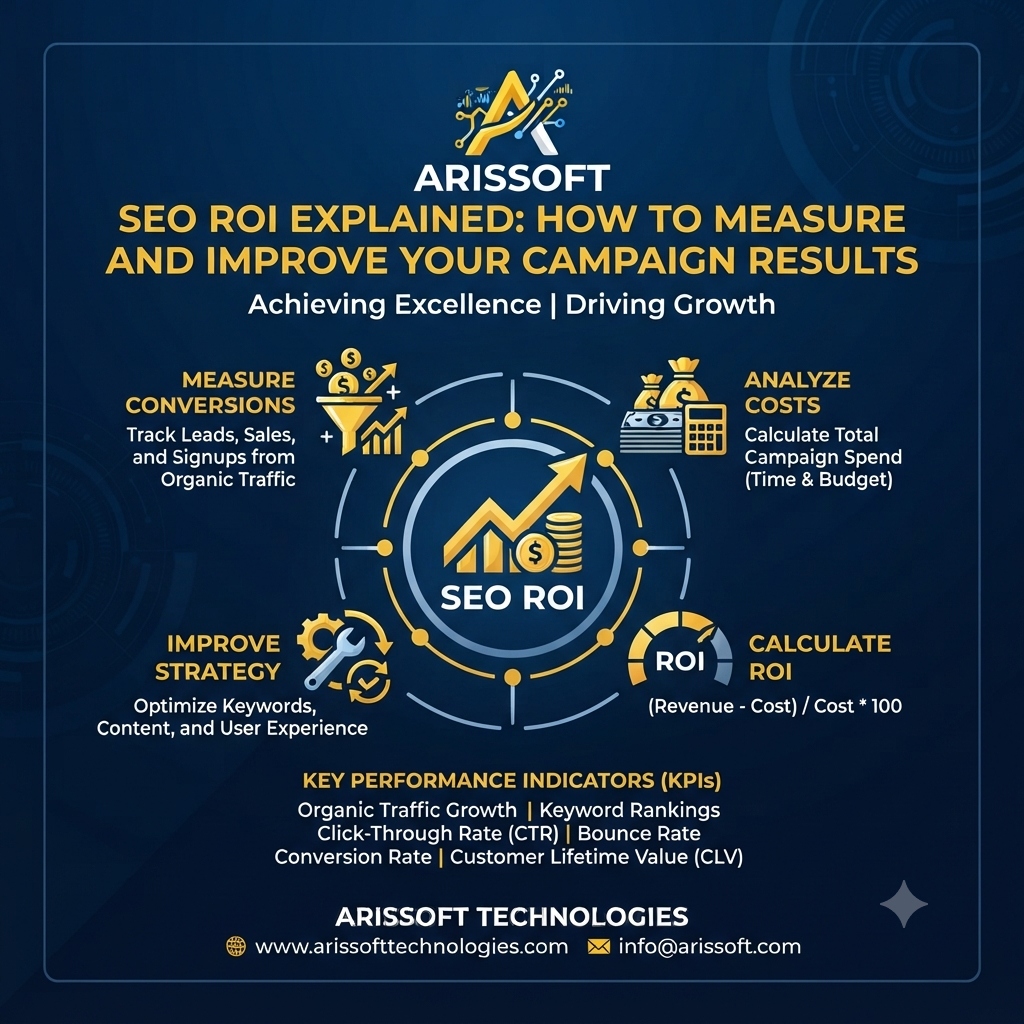 How to Measure and Improve Your Campaign Results
Complete E-commerce Website Audit Guide 2026: How to Improve SEO, Conversions & Digital Marketing Performance
How to Measure and Improve Your Campaign Results
Complete E-commerce Website Audit Guide 2026: How to Improve SEO, Conversions & Digital Marketing Performance
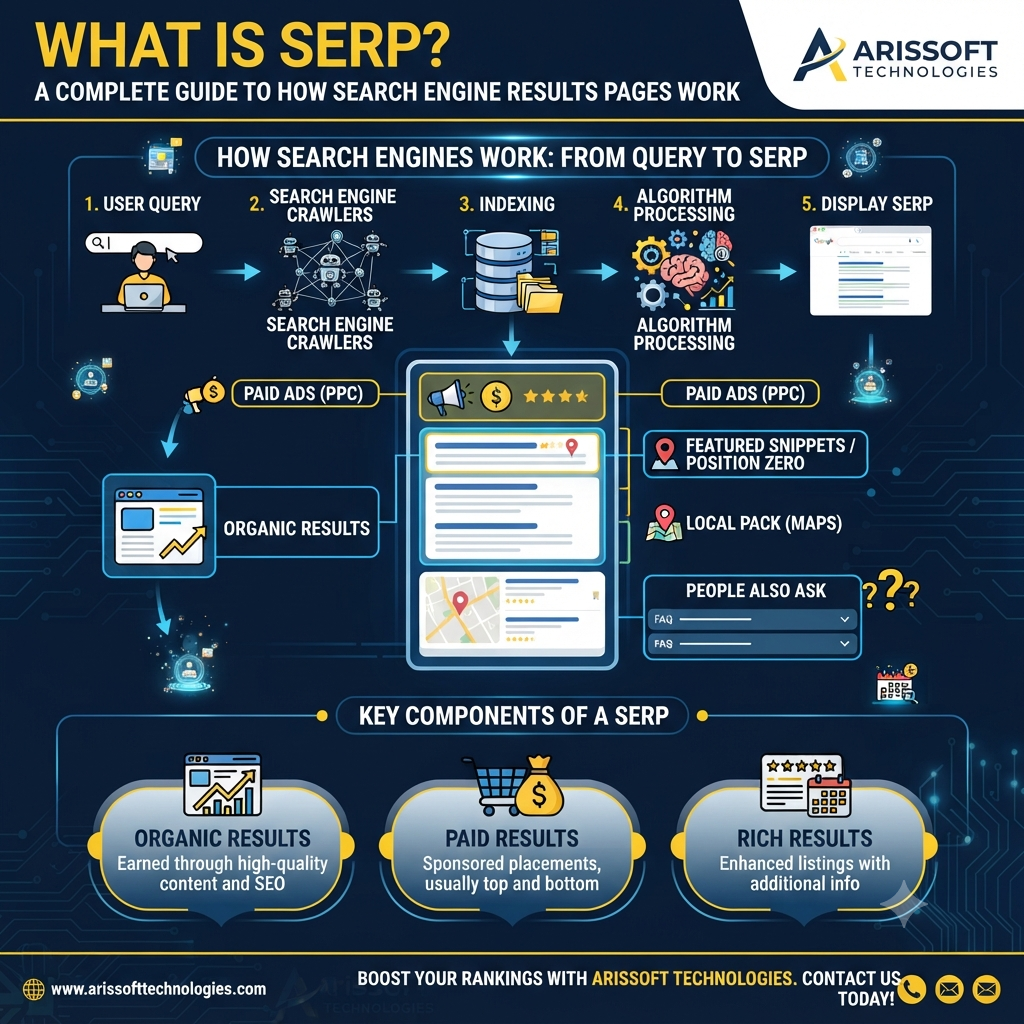 What Is SERP? A Complete Guide to How Search Engine Results Pages Work

.jpg)